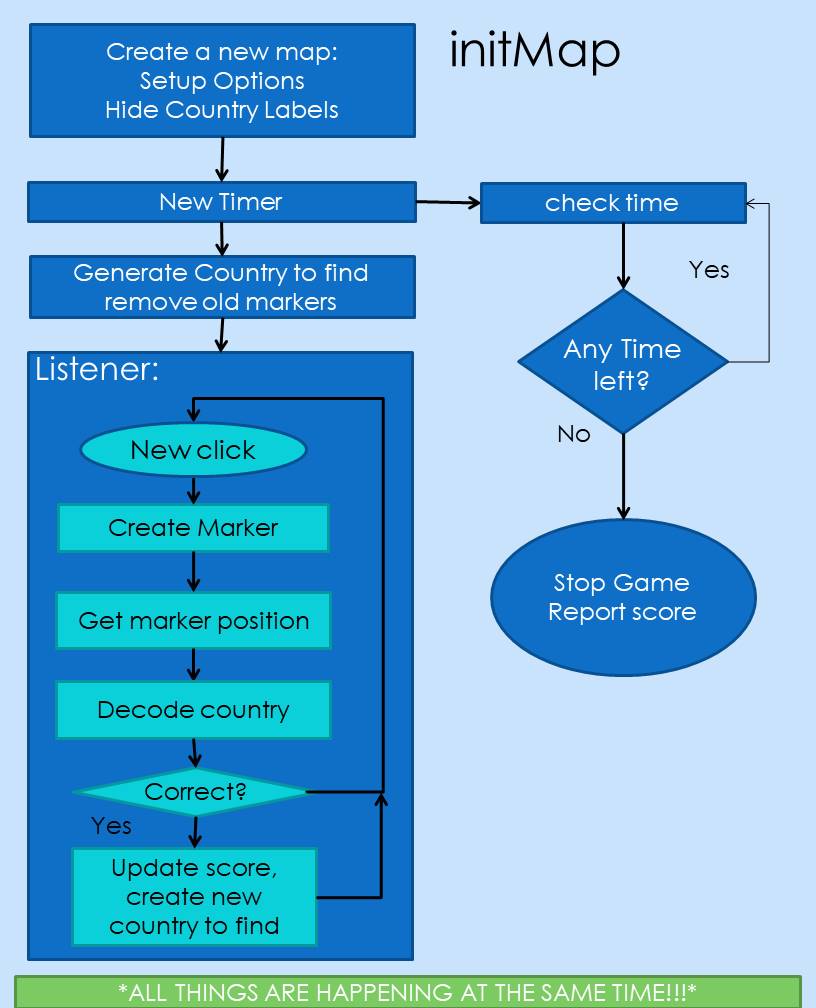
In case you do not know how this flowchart works, here is a quick summary!
Before we go into the functions, you MUST understand that the whole thing is a function called initMap. There are functions inside functions.
If you still did not get that, that’s fine! Here is a better explanation!
1. The first function is to create the map, and change options.
2. After that, the new timer is created.
3. The timer will keep checking time while everything else is happening.
4. While the timer operates, the random country generator will generate another country. Previous markers will also be removed.
5. A new listener is generated. When it hears the click it will
– Create a new marker.
– Get the latitude and longitude of the marker.
– Use Geocode to find out the country.
– Check if the answer is correct.
This will keep repeating until the timer runs out!
Some functions used in the game are…
created functions (the ones that I need to manually create and code)
initMap : used to initialize the map, this covers nearly all the javascript used in the game
new_country: used to generate a random country for players to find
addMarker: this adds the marker when the screen is tapped
myTimer: this is important for creating the timer
geocodeAddress: this is also essential in the game, it tells you what country the marker is on
getPosition: this will also help with finding the position of the marker
clearMarkers: this gets rid of all markers, for more information click here!
default functions(ones that are already there)
alert – this will alert a message in a information box
swal – swal stands for sweetalert, it is like an alert, but cooler and more professional looking
Math.random – this generates a random real number between 0 and 1
loops – obviously loops are for repeating things
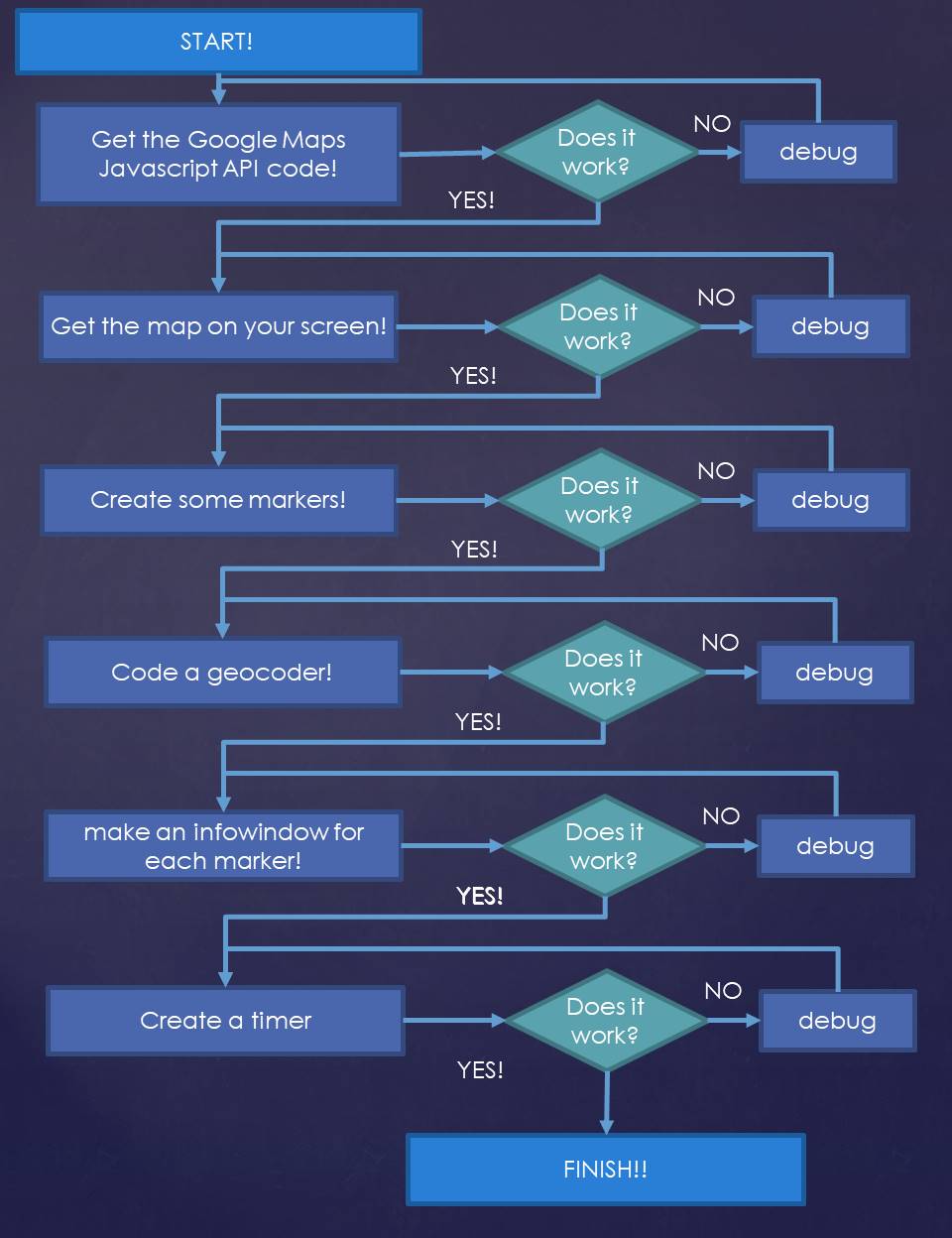
I started making the game by trying to put a map on the page. If I could not do this then I would have to keep trying and start debugging using the F12 shortcut. Once I had completed one task, then I moved on to the next one. If it did not work, I would try to fix it! Below is a flowchart on the key things that I did……
I had a few challenges while building the game, they are listed below:
- Firstly, JavaScript has the complication of using curly brackets! They are everywhere, and it is hard to tell where each and starts and ends. This also creates the problem of putting new brackets in, because you cannot enclose bracket inside another bracket like this: {{} (the black one is by itself and enclosed by the red brackets.)
- Also, we spent quite a lot of time trying to get JUST the country in the infowindow for each marker.
- Finally, the last challenge was to be able to get a RANDOM country. This is because at the start, I had no idea how to use JavaScript. (That is one thing that I learned – to use JavaScript)
In the game, the Google Maps API really helped! It provided some ‘pre – coded’ kind of functions and variables. Here are some of them:
- Marker – the original red marker to place on the map
- Geocoder – the function which turns the latitude and longitude of a marker into an address
- Listener – the listener can ‘listen’ for a click or drag
- Map – the good old Google Map!
To play the game, click the button below!
Below is a list of things that I learned through the process of creating a google map game:
- How to use JavaScript – the fundamentals
- How to put in brackets correctly
- How to use the Google Maps API
- That there is a need to keep things neat and tidy in coding
- How to persist and not give up
If I had more time to further improve, I would:
- Create something to educate people about countries
- Create some ‘levels’ so that the game gets harder and harder
- Make the timer reset after the user finds a correct country so that the game lasts longer
If you would like to contribute to this list of ideas, you can do it here!